


What's New
Key Features

Open a Capital Investments Account through Capital Bank Mobile
Enjoy your online trading journey and link your Capital Investments account with your Capital Bank account for quick transfers and real-time portfolio access.
View tutorial

Main features and services on our app!
Experience smarter banking anytime, anywhere. Enjoy a wide range of digital services designed to make your financial life easier.
View video

Term Deposit
Open your Term Deposit instantly, top it up anytime, and manage it easily through Capital Bank Mobile. A flexible, fast, and fully online way to grow your savings.
View tutorial

Virtual Prepaid Card
Get your Visa Virtual Prepaid Card in seconds! Shop securely online, manage your spending, and enjoy instant access through the app.
View tutorial
Capital Mobile Application
Our advanced digital channels provide you with simple, secure, and convenient ways to manage your accounts through our user-friendly application anytime and anywhere. Download the app now: (Click here)
The mobile application enables you to:
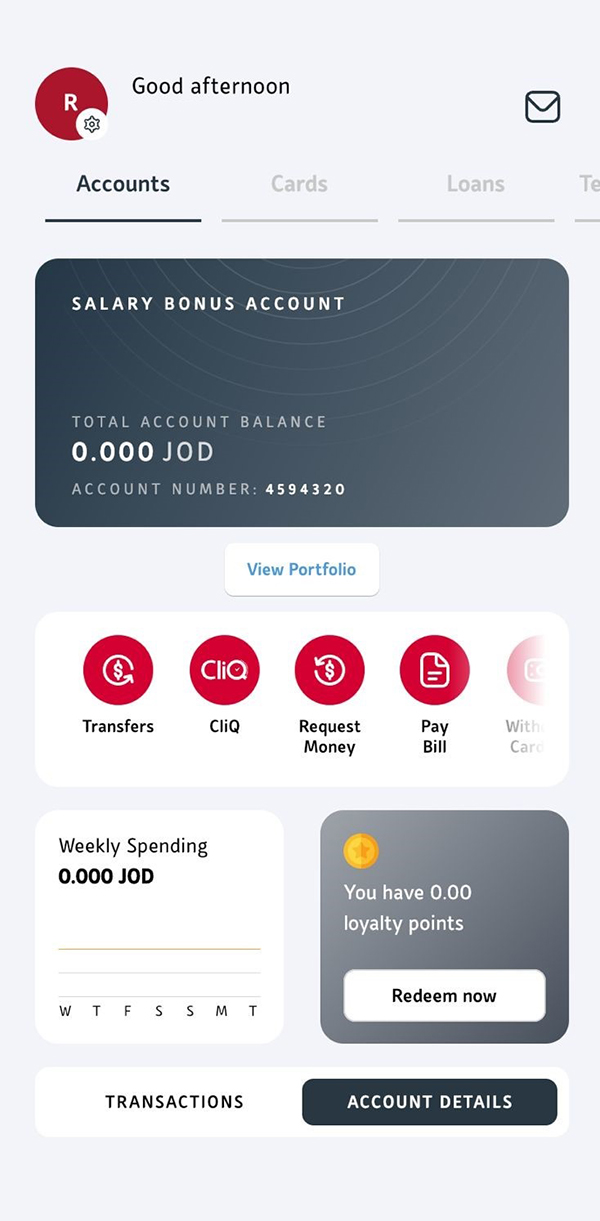
- View a summary of all your accounts, balances, and transactions
- Transfer money between your own accounts, accounts within the bank, and make local and international transfers
- Enjoy instant access to eVouchers from a variety of shops, merchants, and gaming stores
- CliQ service to transfer and receive money instantly
- View, manage, and replace your cards, link your accounts to your debit card, and access your card subscriptions
- Register and pay your bills
- View and redeem your loyalty points
- View, download and share your e-statement
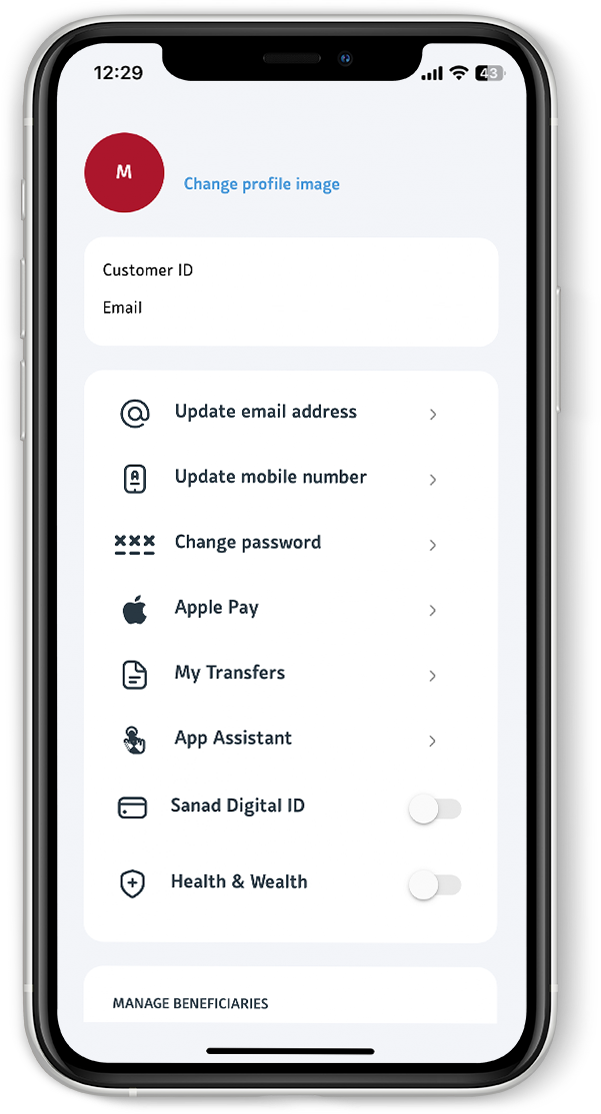
- Update your account, personal information, and contact details
- Open a Capital Investment Account via Capital Mobile
- Western Union transfers
- Open additional Capital Bank accounts
- Add cards to Apple Pay and Google Pay
- EPP (Easy Payment Plan): Request installments for credit card transactions
- Request a cheque book
- Cardless ATM withdrawal

How do I get started and how do I download the app?
Download the Capital Mobile application on your (iPhone/iPad/Android/ Huawei) through the App Store, Google Play, and Huawei Gallery.
Steps:
- Click on "Register"
- Enter your debit card full number then PIN (ATM PIN).
- OTP will be sent to your registered mobile number.
- Create your username and password (numbers, letters, special characters, upper letter), new password, set your biometrics and PIN
- For further assistance, call our contact centre at+96265100220.
How secure is the application?
Our mobile application uses 6-factor authentication to ensure only you can access the mobile application data, there is no sensitive data stored on the device, all communications with the mobile device are fully secured and encrypted.
Can I access the mobile application on all my devices?
Yes, you can have access to the mobile application on up to 5 devices.
What do I do if I forget my password?
In case you forget login password, access the "Forget Password/Username" from the app and enter your debit card full number and card PIN” to be “In case you forget login password, access the "Forget Password/Username" from the app and enter your National ID/Passport ID, Customer ID, debit card full number and card PIN.
What do I do if I forget my username?
In case you have forget login username, access the Forget Password/username option on the Application by entering your debit card full number and card PIN.
What should I do if I run into a problem or need help?
You can contact our call center on +96265100220 and speak to one of our Phone Banking officers who can assist you or by sending a secure message via our mobile application
What is CliQ Return Payments service?
It’s a CliQ feature that allows you to return any funds that were mistakenly sent to your account. You can do this directly through the bank’s app, easily and securely, with the amount refunded only to the original sender.
What happens if I don’t return a payment that was sent to my account by mistake?
Keeping money that was deposited into your account by mistake may expose you to legal accountability, as it’s considered unlawful gain. To avoid any legal or financial consequences, we strongly advise using the official CliQ Return Payments service.
What should I be careful about?
Be wary of anyone asking you to transfer the money to a different account, this is a common fraud tactic. The only safe method is using the official CliQ Return Payments service within the bank’s app, which guarantees the funds go back to the rightful sender.
Want to learn more about this product?
Get the App
Apply directly on the mobile app for easy
registration without the need to visit the bank.

.ashx)

